


How to Place Limit Order on Uniswap Using LCX?
a LCX Team · · Updated February 6, 2023
LCX DeFi Terminal built on Uniswap V2 allows its users to place Limit Orders on Uniswap without getting involved in complex processes.
In general LCX DeFi Terminal is free of charge, but we require that you hold at least 10,000 $LCX Token in your connected wallet. More about fees at LCX.
You can place a Limit Order on Uniswap V2 using LCX DeFi Terminal by following these simple steps.
To begin with the steps:
Go to https://defi.lcx.com/
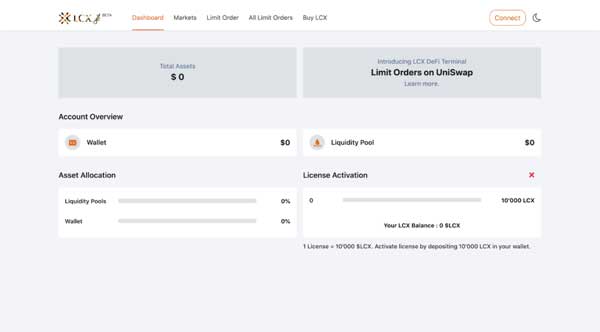
Click on Metamask tab and connect your wallet.
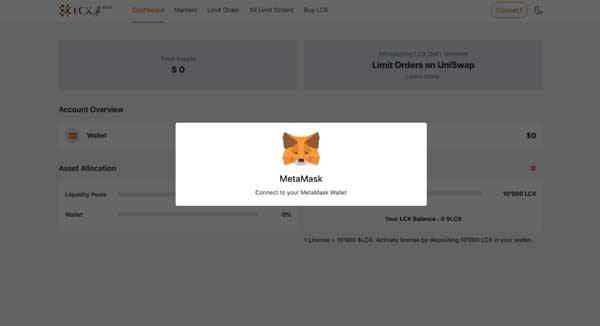
Accept the request to connect your Metamask wallet.
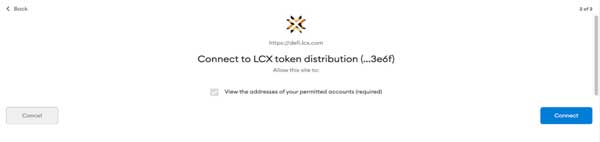
Once it’s connected, the wallet address will appear on the top right corner.
To place a Limit Order, click on the Limit Order Tab on the top of the screen.
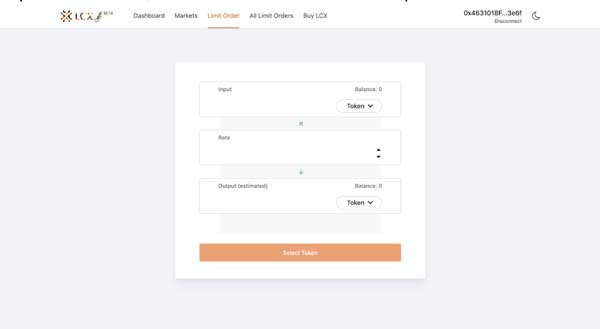
Now select the pair by clicking on the drop-down menu in the Input and Output sections. The token selected in the Input section will be converted for the token in the Output section.
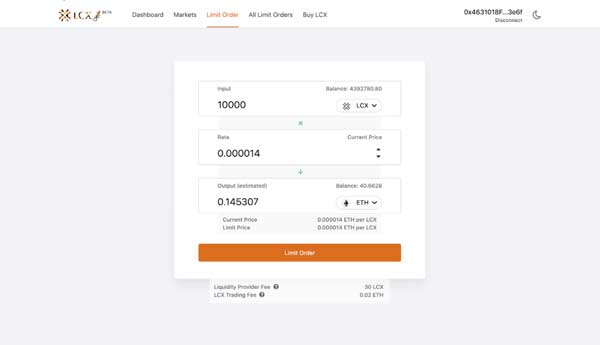
Now enter the limit price in the Rate section. You can see the current price of the token below the output section.
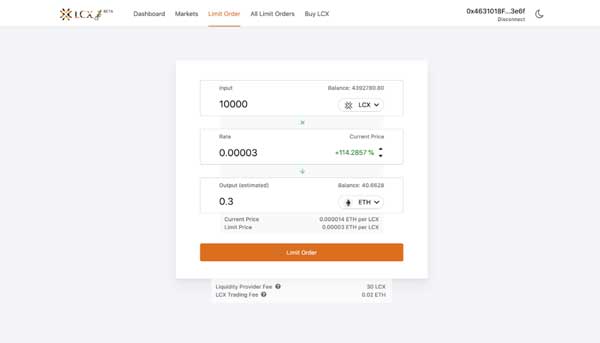
Note on Fees: Only for your successful trade, a fee of 0.3% will be deducted by Uniswap platform for the liquidity platform. Furthermore a fee of 0.02 ETH will be charged by the LCX. You can see the exact amount of fees that will be deducted on the completion of the trade below.
After clicking Limit Order, the user has to approve the transaction in metamask.
Now click on the Limit Order tab to place the order.
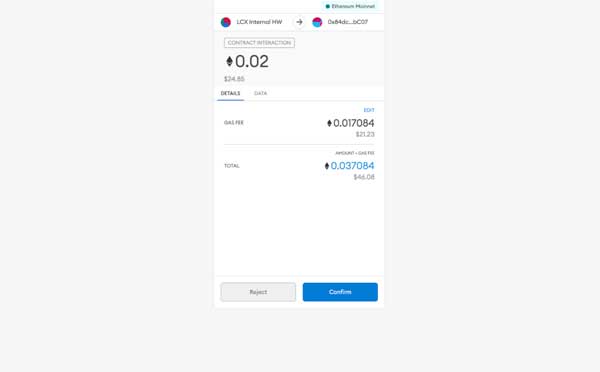
A new window will open with the Transaction Details. A pop up message will appear confirming the placement of your Limit Order.
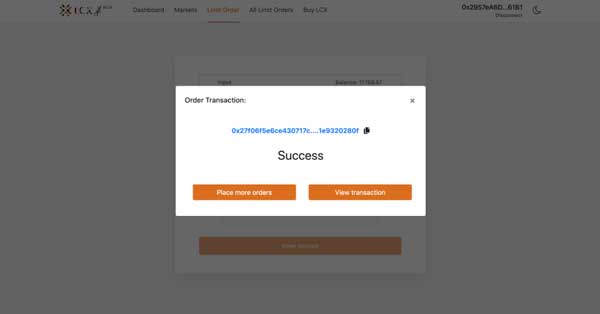 Click on the All Limit Orders tab to view all the trades. Under the Open Trades section, you’ll see a list of all the trades that are still pending, and under the Trade History section, you’ll see a list of all the closed and canceled trades.
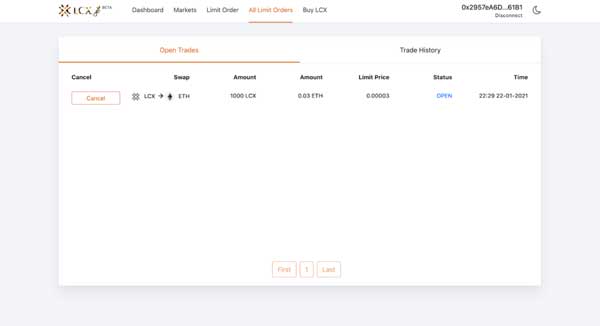
If you intend to cancel a limit order then open the Open Trades section under All Limit Orders and go to the limit order you need to cancel.
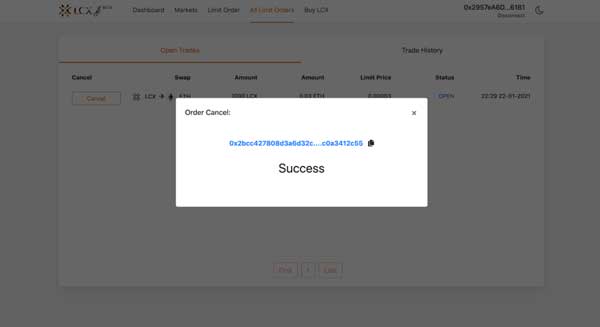
Click on cancel tab next to the limit order. A pop-up message will appear confirming the cancelation and the limit order will be moved to the Trade History section.
LCX DeFi Terminal is a trading dashboard built on top of Uniswap Decentralized Exchange (DEX). Get started at DeFi.LCX.com