知识库
常见问题
FAQ
常见问题
You can enable and manage notification alerts on LCX in two ways:
Go to Settings → Notification in your LCX account.
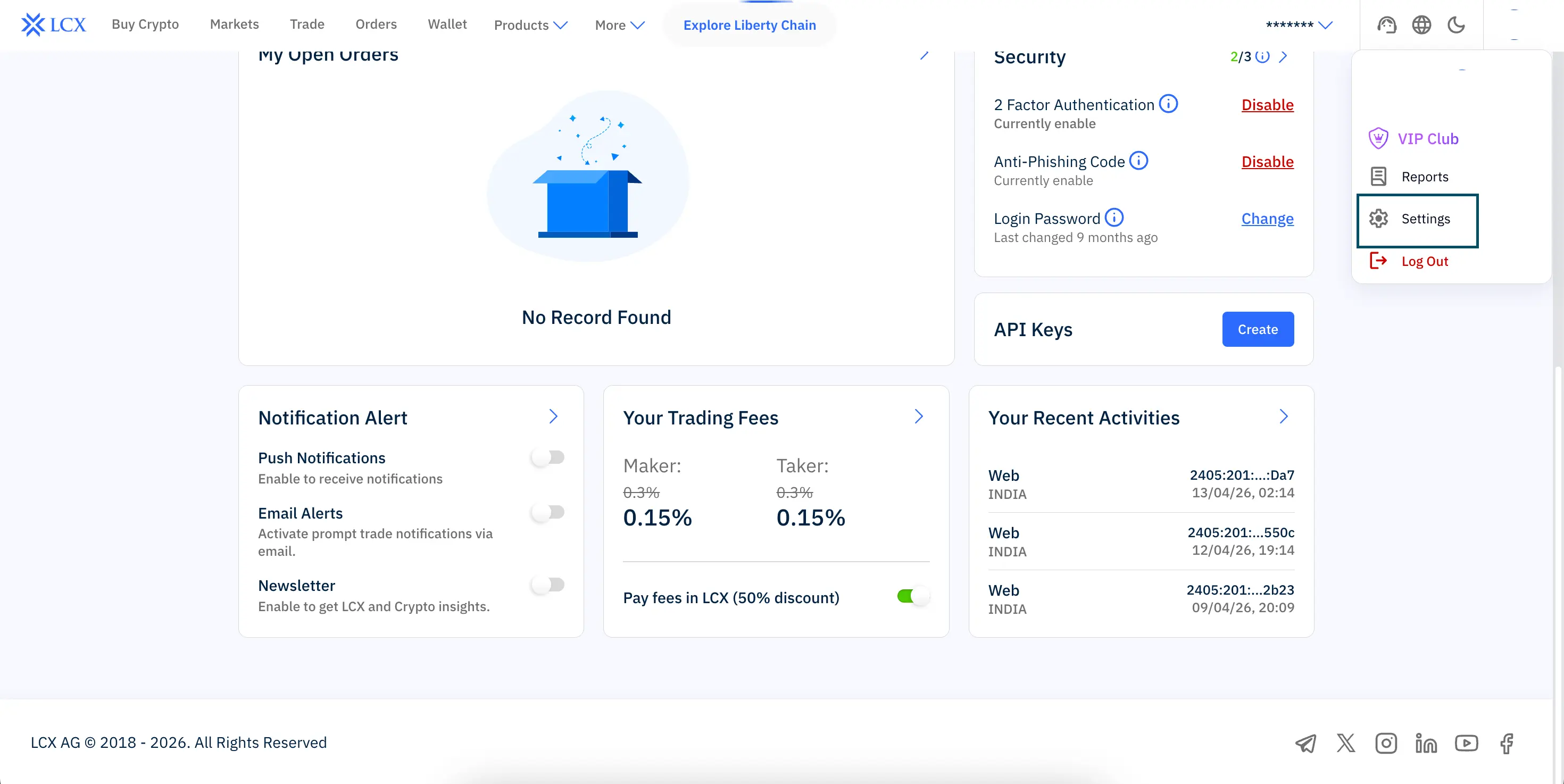
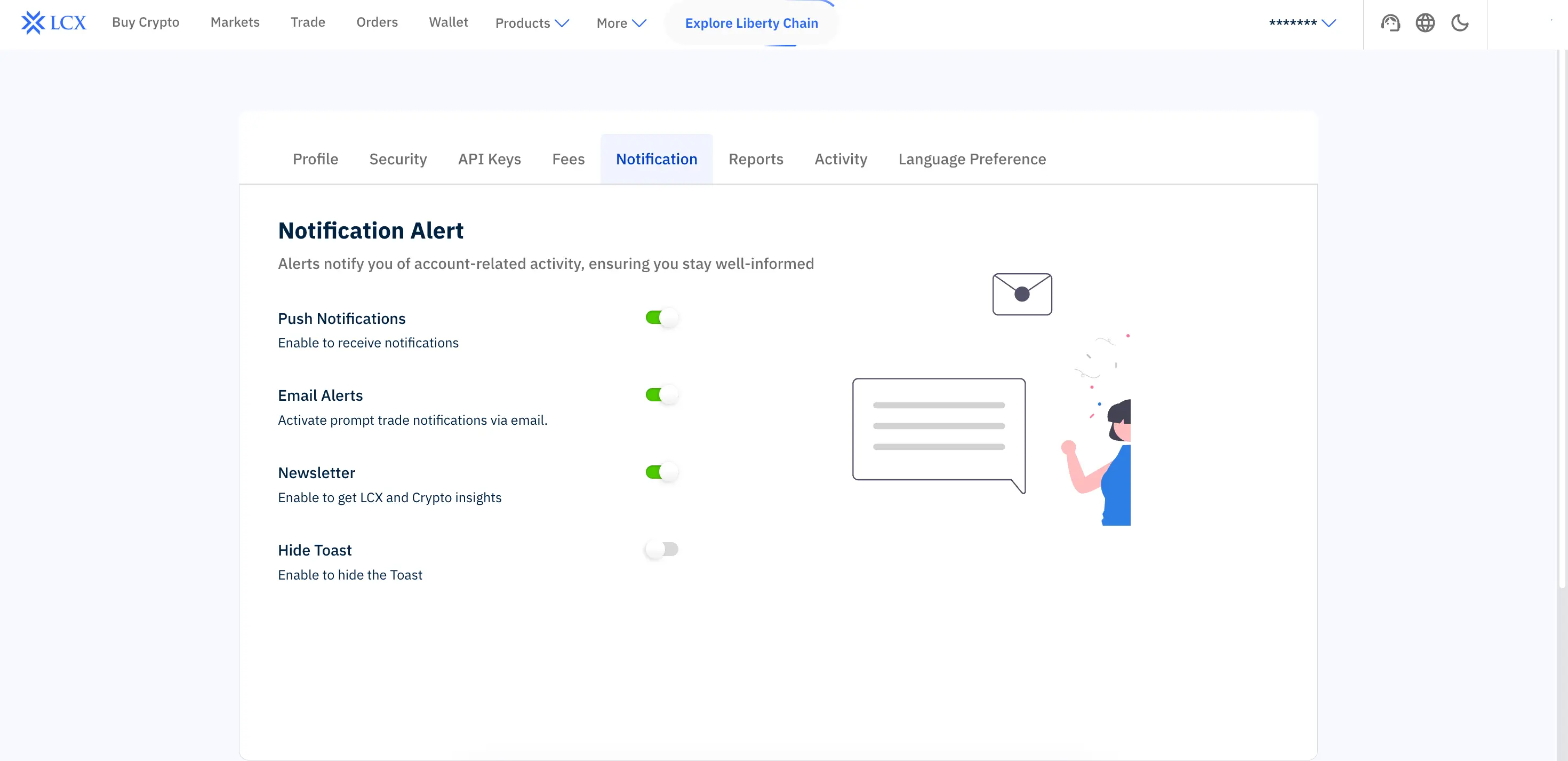
Here you can configure all alert preferences, including:
This is the main and most complete way to manage all notification preferences.
You can also adjust basic notification preferences directly from your LCX account dashboard.
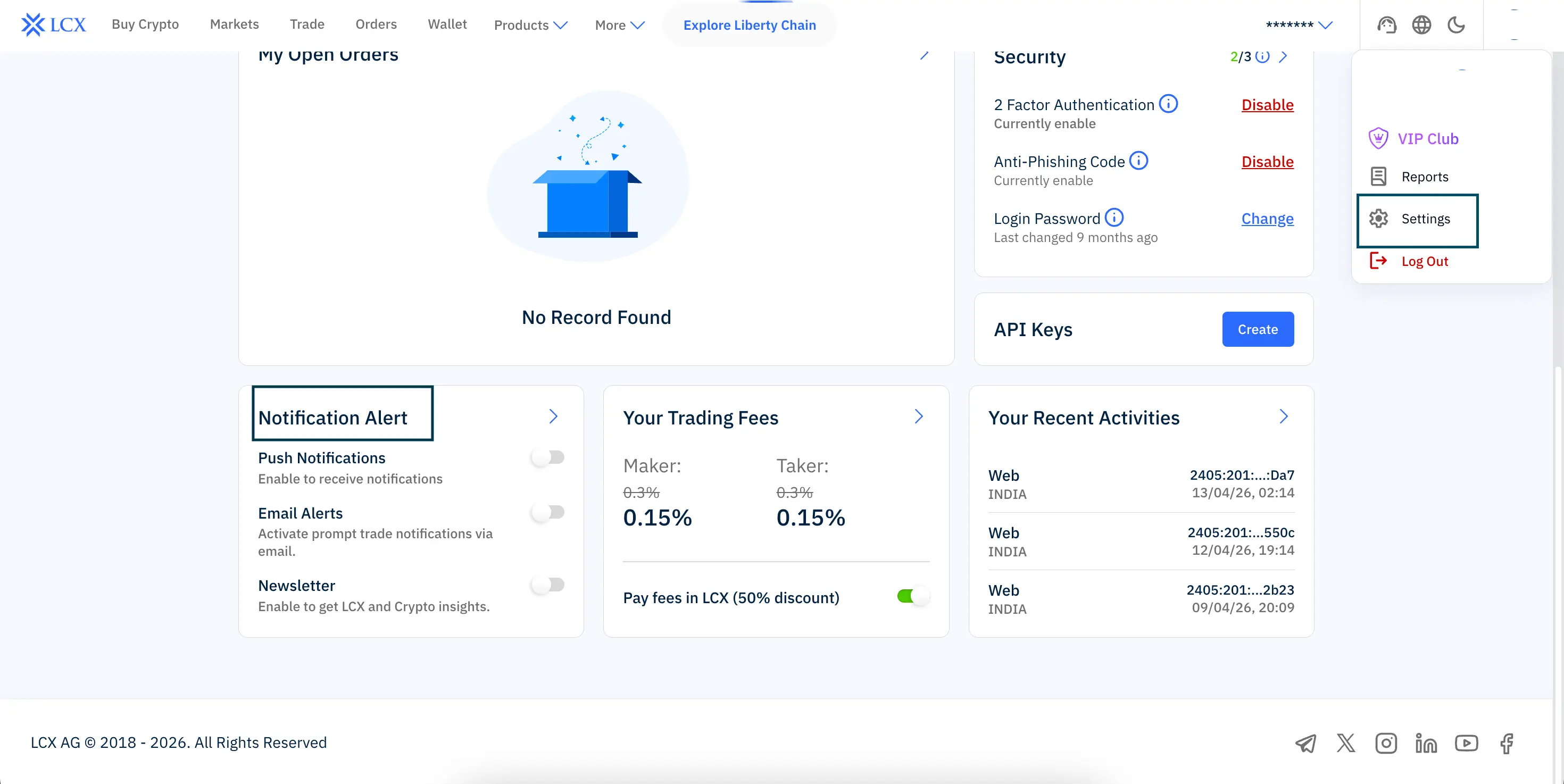
In the Notification Alert section, you can toggle:
• Push notifications
• Email alerts
• Newsletter updates
This allows you to quickly enable or disable alerts without going into full settings.
Notification alerts help you stay updated on:
• Account login activity
• Trading updates and order execution
• Security changes
• Platform announcements and insights