知识库
常见问题
FAQ
常见问题
To download your Transaction history in the csv file format, you are requested to follow the below mentioned steps:
1. Login to your LCX account through exchange.lcx.com or proceed to LCX exchange.
2. Move to the profile button and Click on “Reports”
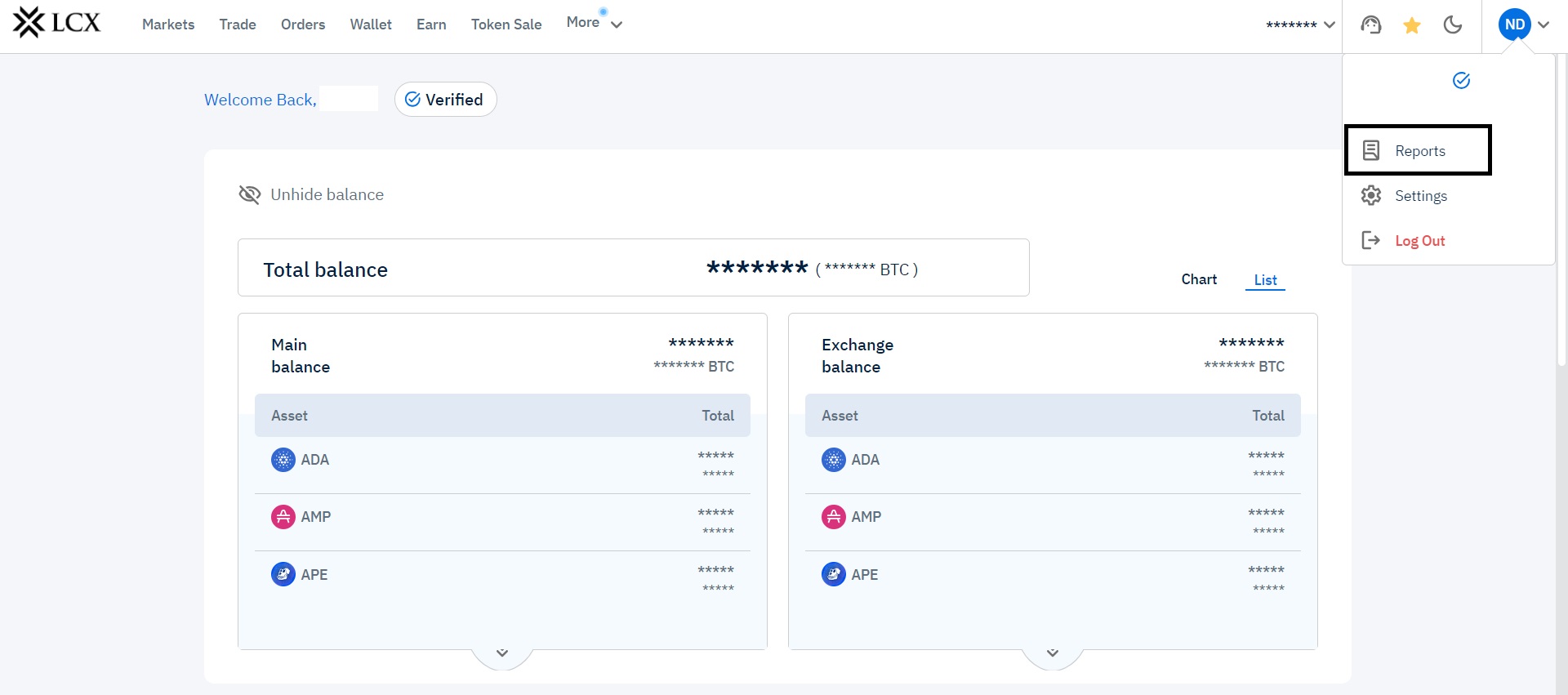
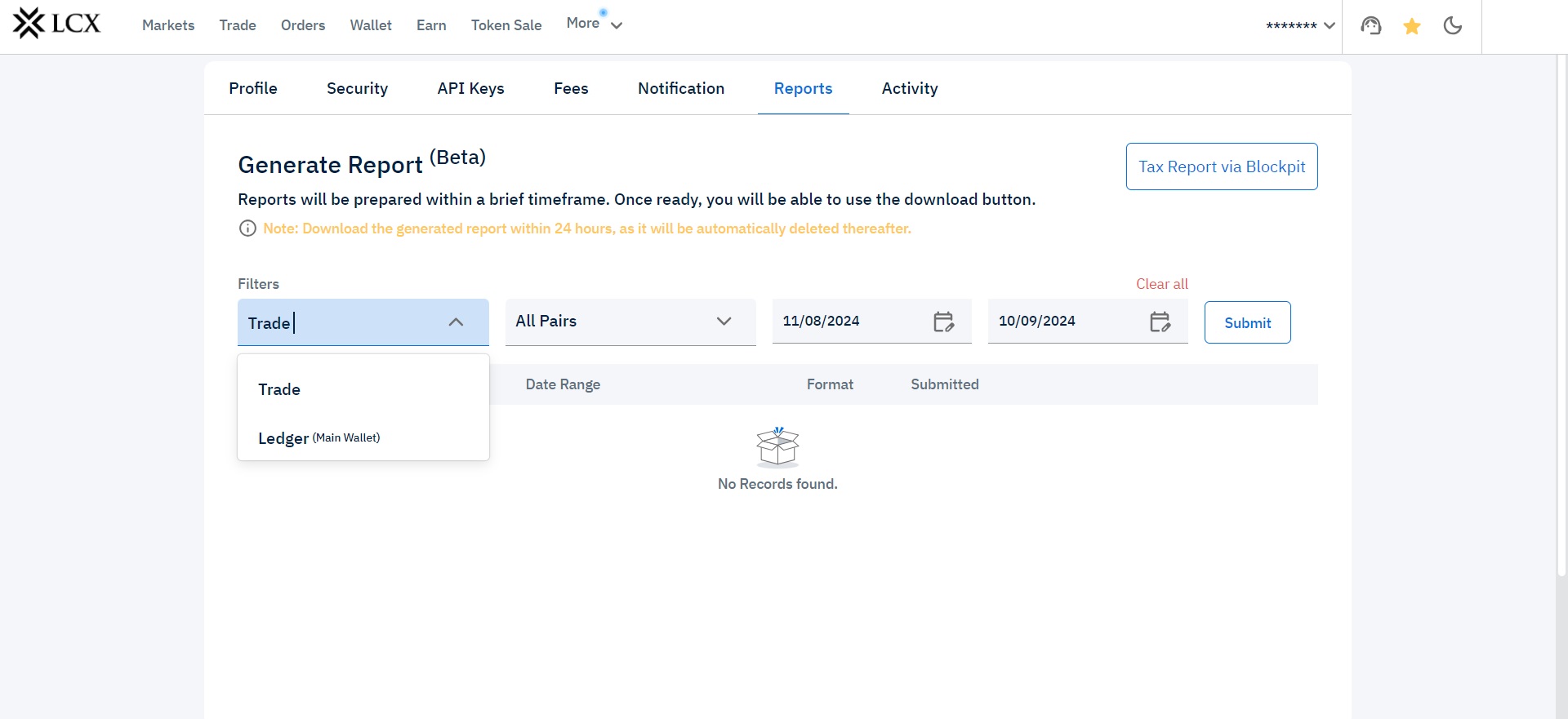
3. For Trade history in the first filter select” trade” and for main wallet transactions select” Ledger”
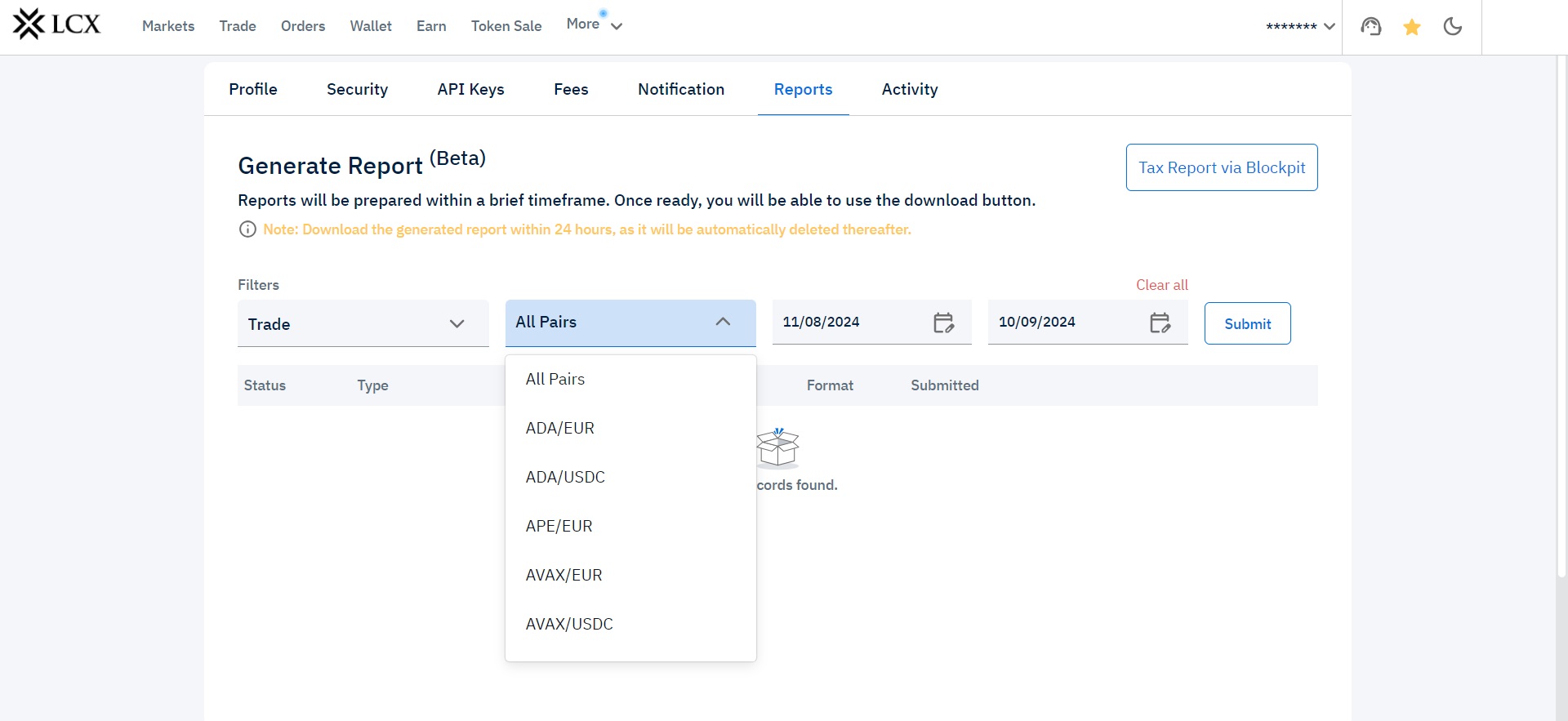
4. Specific Trade pairs can also be selected in the Second Filter.
5. Select the threshold time period for which you wish to download the Transaction history.
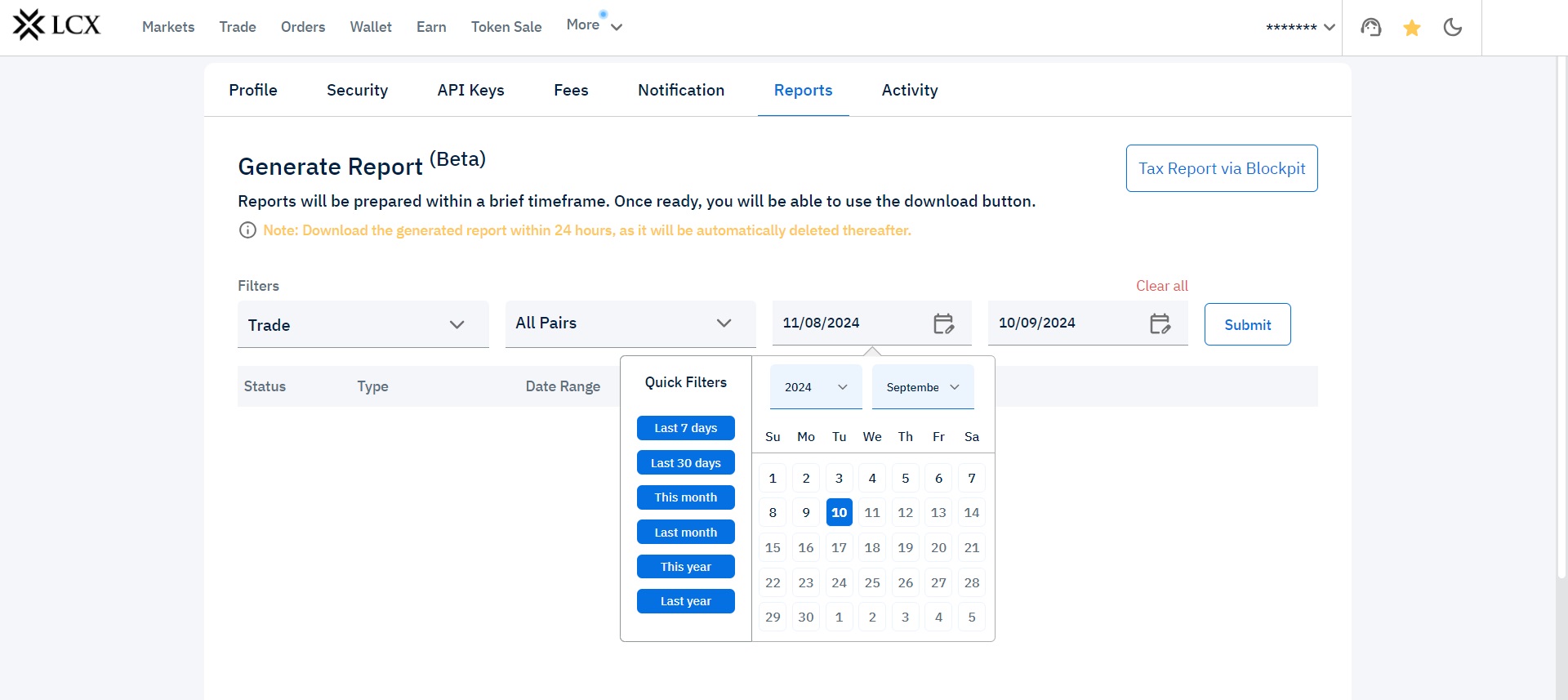
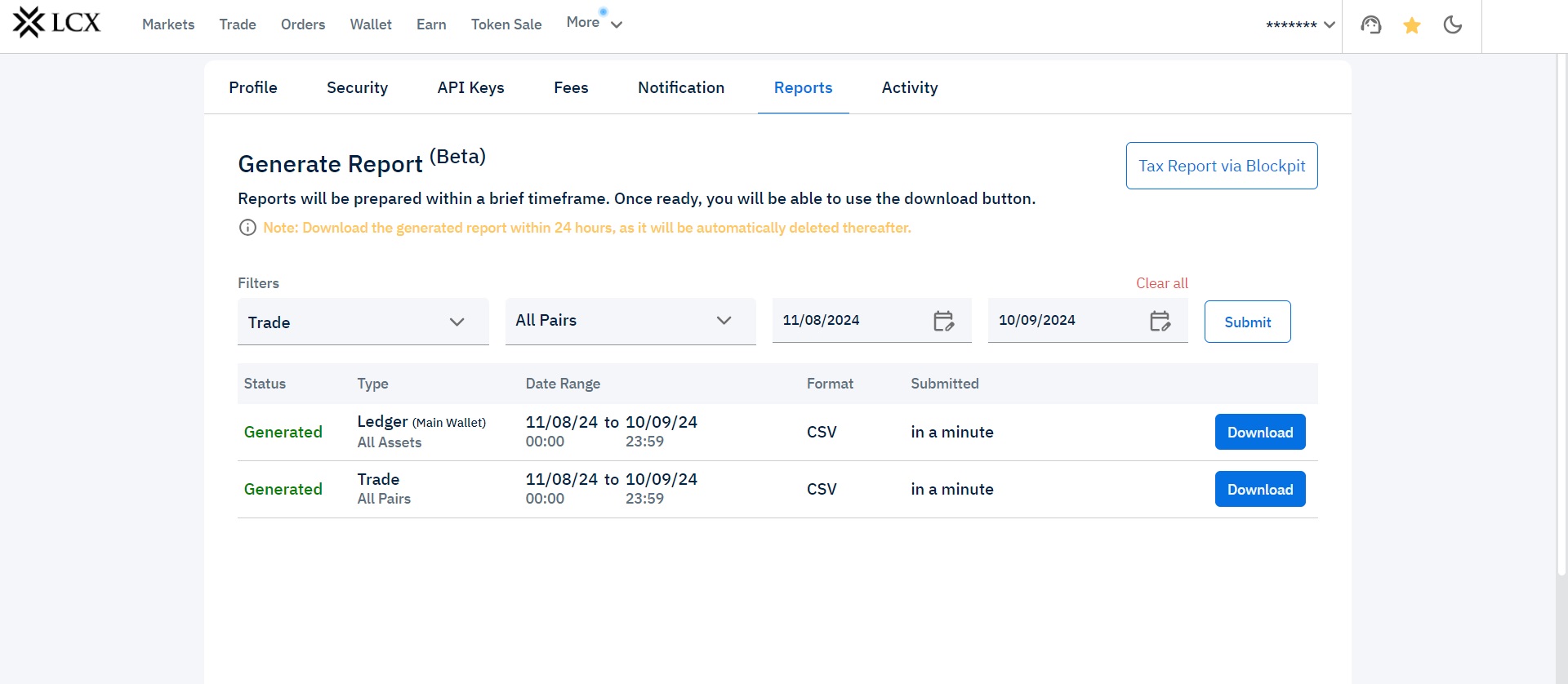
6. Click on submit and wait for sometime to get the reports generated.
7. Once generated, the download button appears and click on “Download”