Kunskapsbas
VANLIGA FRÅGOR
VANLIGA FRÅGOR
FAQ
VANLIGA FRÅGOR
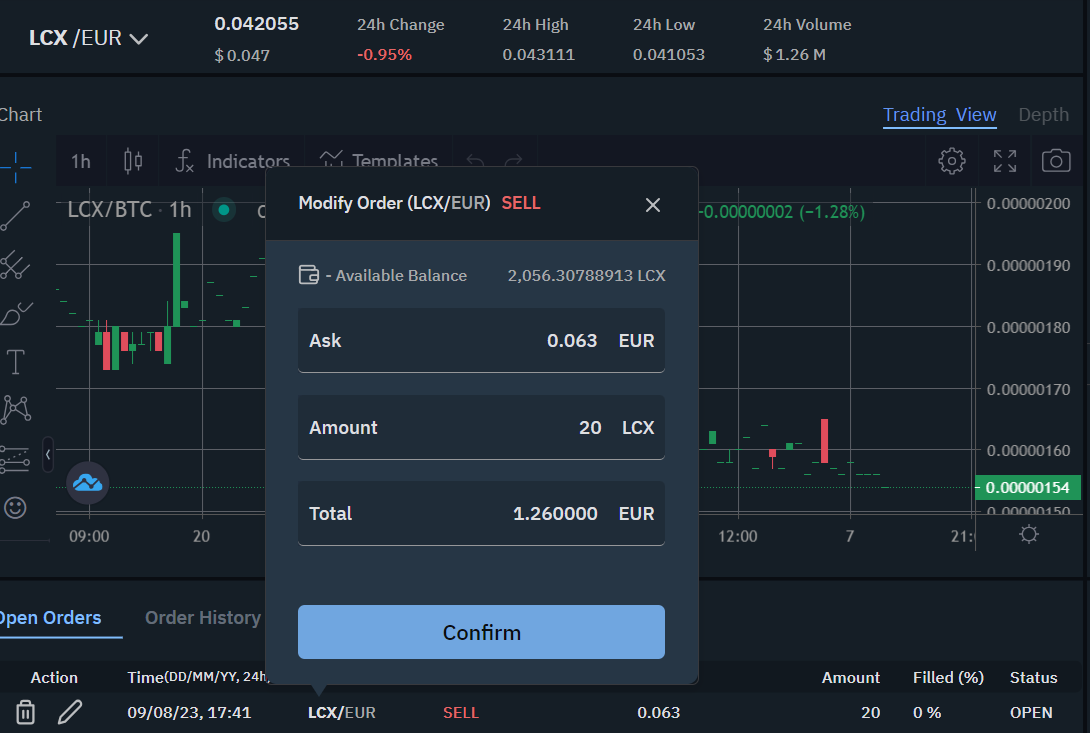
Please follow the below mentioned steps to modify your order:
Note: This icon will only appear on the screen if the order is Open in the order book.
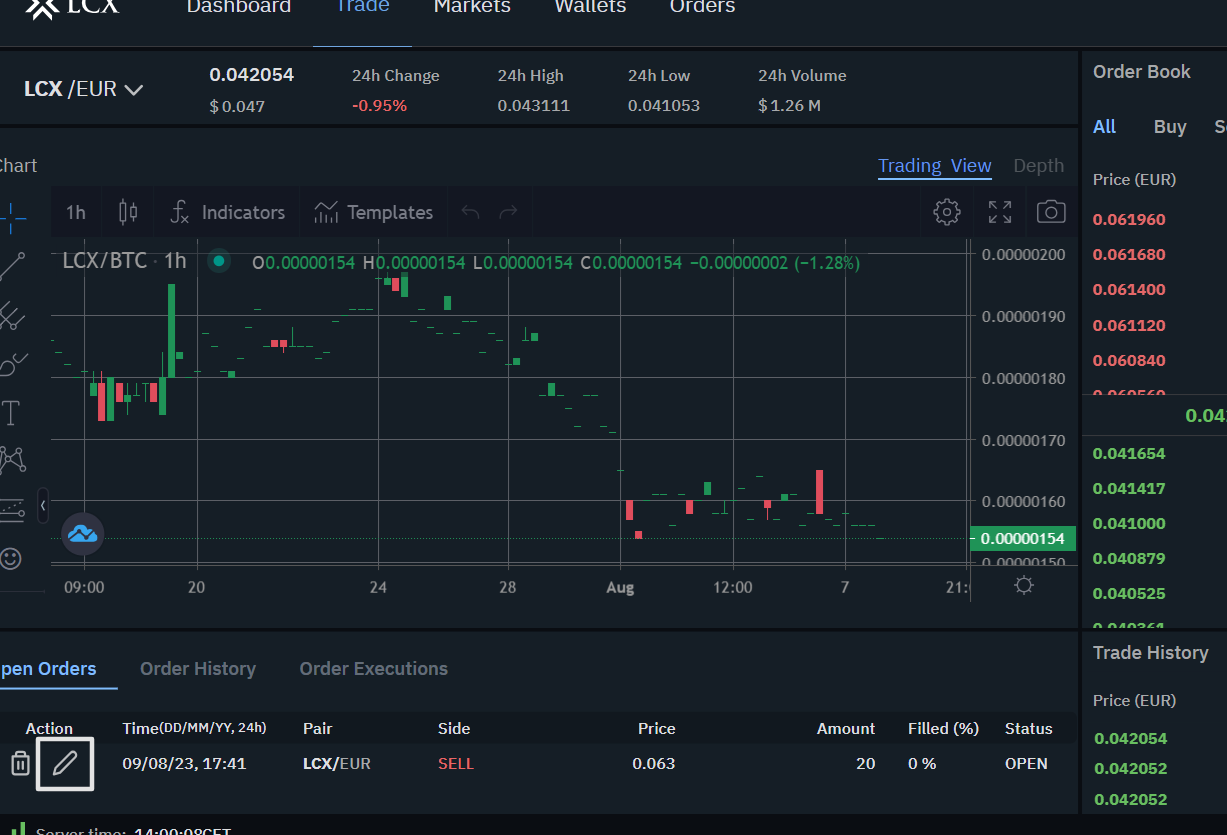
2. When you will click on Edit Icon you will be able to Modify the Order.
3. Within the Modify Order you can see the same three value as shown on Order form Page. You can easily update them